How to Make a Quote with AI That Sounds Original
A practical workflow for turning a topic, rough note, or one-word idea into a short quote you can review, refine, and use responsibly.

A good AI quote workflow moves from an idea to a focused, editable line.
In this guide
If you want to make a quote with AI, start by treating the tool as a writing assistant rather than an authority. The strongest result usually comes from a simple process: define the idea, describe the audience and tone, generate a few drafts, then edit the best line until it says one clear thing. This approach works for a motivational quote, a social caption, a team message, or a short reflection from a longer piece of text.
1. Start with the meaning, not the wording
Before opening an AI quote maker, write down what you want the reader to feel or understand. A topic such as “success” is too broad by itself. A more useful starting point is “the quiet discipline of practicing after a disappointing result” because it contains a situation, tension, and point of view.
The goal is not to make the prompt sound clever. The goal is to give the model enough context to avoid a generic sentence. You can begin with one word, a personal note, a rough paragraph, or a question. Then add the audience, mood, and use case that should shape the final line.
- Subject: the person, problem, or situation behind the quote.
- Point: the lesson or shift you want the reader to notice.
- Tone: calm, bold, warm, funny, reflective, or professional.
- Length: a short line, a two-part sentence, or a compact paragraph.
- Audience and channel: a journal, classroom, poster, caption, speech, or team note.
One word can be enough
If all you have is “resilience” or “home,” ask AI to explore several interpretations first. A one-word prompt is a starting point for discovery, not a finished brief.
2. Write a prompt that gives AI direction
A useful prompt tells the AI what to create and how to judge the result. Instead of “make a nice quote about work,” describe the audience, the emotional movement, and the shape of the output. Asking for multiple options also helps you compare ideas instead of accepting the first fluent sentence.
You do not need a complicated prompt formula. A clear request can be one or two sentences, followed by constraints. If the quote is for a public post, ask for original wording and tell the tool not to imitate a living writer or attach the line to a real person.
- Give the context: Explain the situation or source idea in plain language, including the change, conflict, or feeling that matters.
- Choose the voice: Name the tone and audience. “Quietly hopeful for someone starting over” is more useful than “make it inspirational.”
- Set the shape: Ask for one sentence, a short two-part line, or three alternatives with a strong final phrase.
- Add guardrails: Request original wording, no invented attribution, no unsupported facts, and no clichés when those limits matter.
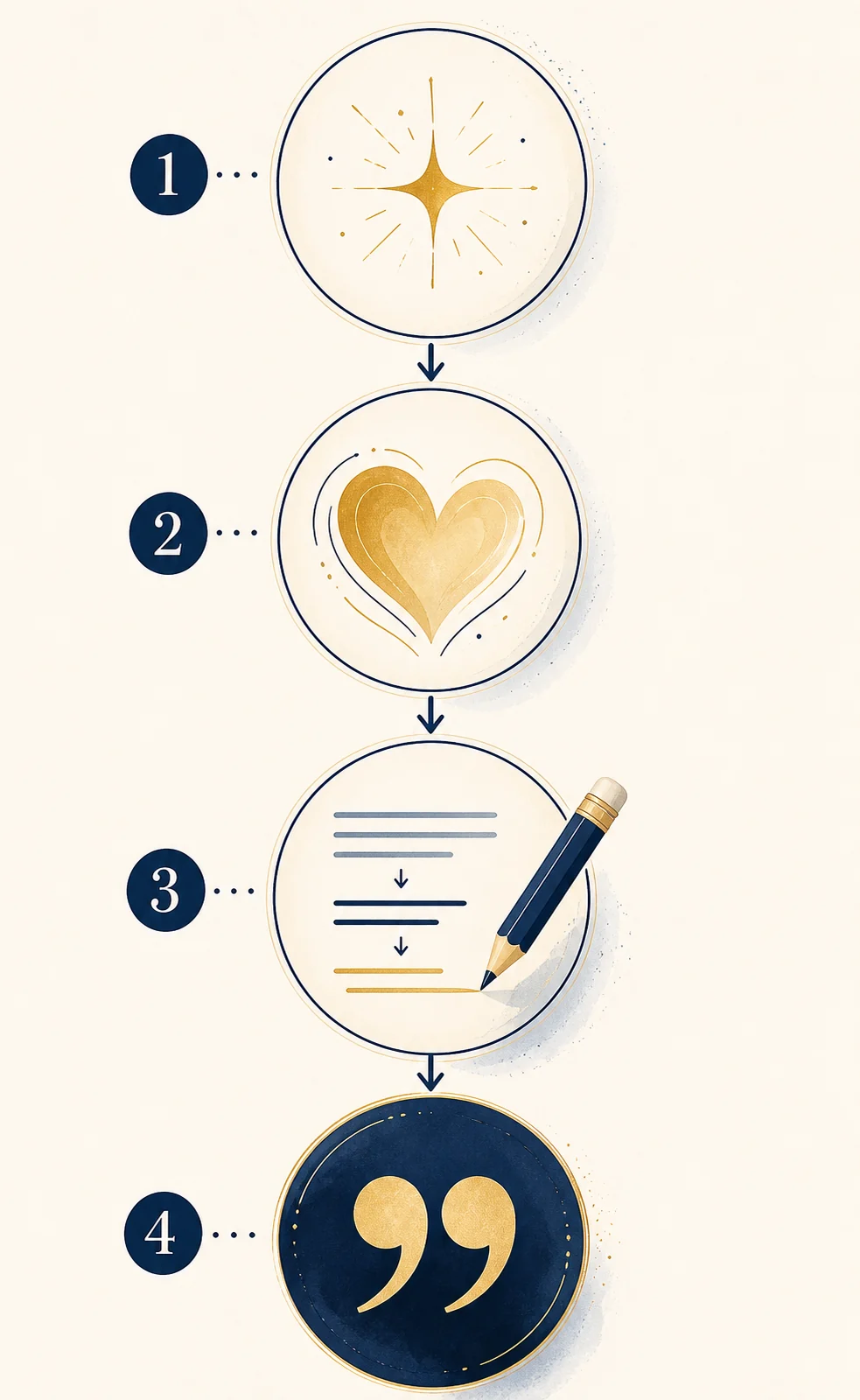
3. Shape the draft into a memorable quote
The first AI output is a draft, not a finished quote. Read each option aloud and ask whether it expresses one idea. Strong short quotes often have a clear turn: a contrast, a concrete image, a surprising reframe, or a small action that makes the message easier to remember.
Editing is where your voice enters the process. Replace abstract filler with a specific image, remove repeated intensifiers, and cut any phrase that only announces an emotion. A short quote does not need to sound grand; it needs to be clear enough that another person can carry it away.
- Can I summarize the quote's point in one plain sentence?
- Is there one concrete word or image that gives the line texture?
- Does the rhythm sound natural when read aloud?
- Would removing five words make the sentence stronger?
- Does the line fit the audience and the place where I plan to publish it?
4. Review originality, facts, and attribution
An AI-generated line can resemble language that already exists. Before publishing, search an unusual phrase if the quote will be used commercially or presented as your own important work. The tool can help draft language, but it cannot prove that a sentence is original or that a famous attribution is genuine.
Never attach a generated quote to a real author, public figure, book, or historical event unless you have checked a reliable source. If the line is fictional, label it as an original AI-assisted draft or leave the author field blank. This is especially important for quote cards, classroom materials, newsletters, and social posts that may be reshared without context.
- Remove names, dates, and claims that the prompt did not verify.
- Do not use quotation marks to imply a historical source you have not checked.
- Rewrite the draft in your own voice when you need a distinctive final version.
- Avoid entering confidential client, health, legal, or private business information into a public tool.
- Keep a note of the original prompt and your edits when the wording matters for a project.
5. Turn a paragraph or one word into a quote
A quote generator from text is useful when the idea already exists but the sentence is too long, flat, or explanatory. Paste a short non-confidential note, then ask AI to identify the central insight before rewriting it. This keeps the tool focused on your meaning instead of inventing an unrelated message.
For a long article or book, work from a passage you have the right to use and check the result against the source. AI can compress an idea, but it should not be used to create a misleading quotation that appears to be a verbatim excerpt. If you need a source-based summary, label it as a paraphrase.
- Paste a focused note: Use one idea or a short paragraph rather than a whole document. Remove private details first.
- Name the transformation: Ask for a concise quote, a reflective line, a direct statement, or a social caption.
- Preserve the meaning: Tell AI not to add facts, promises, or emotions that are absent from the source note.
- Compare with the original: Check that the shortened line still represents the source and mark it as a paraphrase when needed.
Prompt examples: from rough idea to quote
These examples show how adding context changes the type of answer you receive. The sample results are drafts for demonstration, not attributed quotations.
| Starting idea | Useful instruction | Possible result |
|---|---|---|
| Starting again after a failed project | Write three original, calm one-sentence quotes for a product team. Use a concrete image and avoid the words success and failure. | A closed door can become a workbench when the team stays long enough to build another way in. |
| One word: patience | Explore patience as steady practice, not passive waiting. Give me five short lines for a personal journal. | Patience is the quiet decision to keep showing up before the result has learned your name. |
Use a focused AI quote tool
Once you know whether you are starting from a topic, a finished sentence, or a visual idea, choose the workflow that matches the job.
Start from a note
The quote generator from text helps turn a short idea into a concise, editable quote with tone and length choices.
Try quote from textStart from a visual brief
The quote image generator combines an original quote draft with a readable image layout for posts, stories, or slides.
Make a quote imageFrequently asked questions about making quotes with AI
Can AI make an original quote from one word?
Yes. One word can give AI a theme to explore, but the result improves when you add a mood, audience, use case, and length. Review the wording before treating it as your final line.
How do I make an AI quote sound less generic?
Add a specific situation, a point of view, and a concrete image. Ask for several distinct options, remove clichés, and edit the best draft in your own voice.
Can I claim an AI-generated quote was said by a famous person?
No. Do not invent or imply attribution. Use a verified source for a real quotation, or label the new line as fictional, original, or AI-assisted.
What should I put into a quote generator from text?
Use a short, non-confidential note that contains one central idea. Tell the tool whether you want a paraphrase, a reflective line, or a concise original quote, then compare the output with your source.
Make the next draft easier to edit
Bring a real idea, give it a clear direction, and let AI create a few starting points. The best quote is usually the one you understand well enough to revise, verify, and make your own.
Try the quote generator from text